Integrated Government Operations System

Sign-ins, then the coordination desk

The first pictures are the IGOS sign-in and the screen each authorised identity opens. The password for these sign-ins is NW-Region-2026. The duty code is 482916. The pictures after that are the North-West coordination desk. Green, red, and yellow follow the flag of Cameroon.

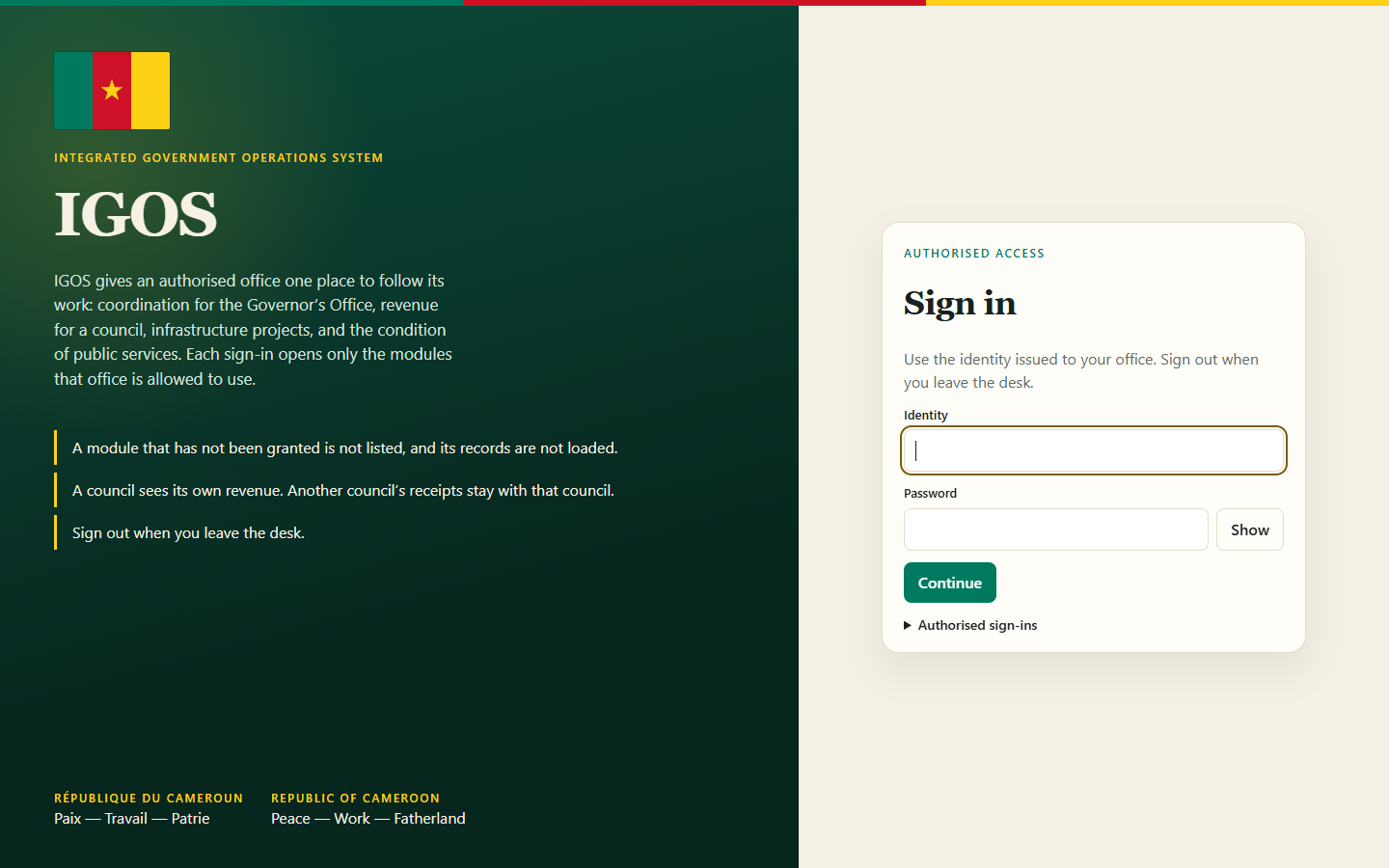
IGOS sign-in. Green panel with the Cameroon flag and the title IGOS. Cream card with identity and password fields.

Sign in

The front door. An official enters an identity and a password. The flag and the motto sit on the green panel.
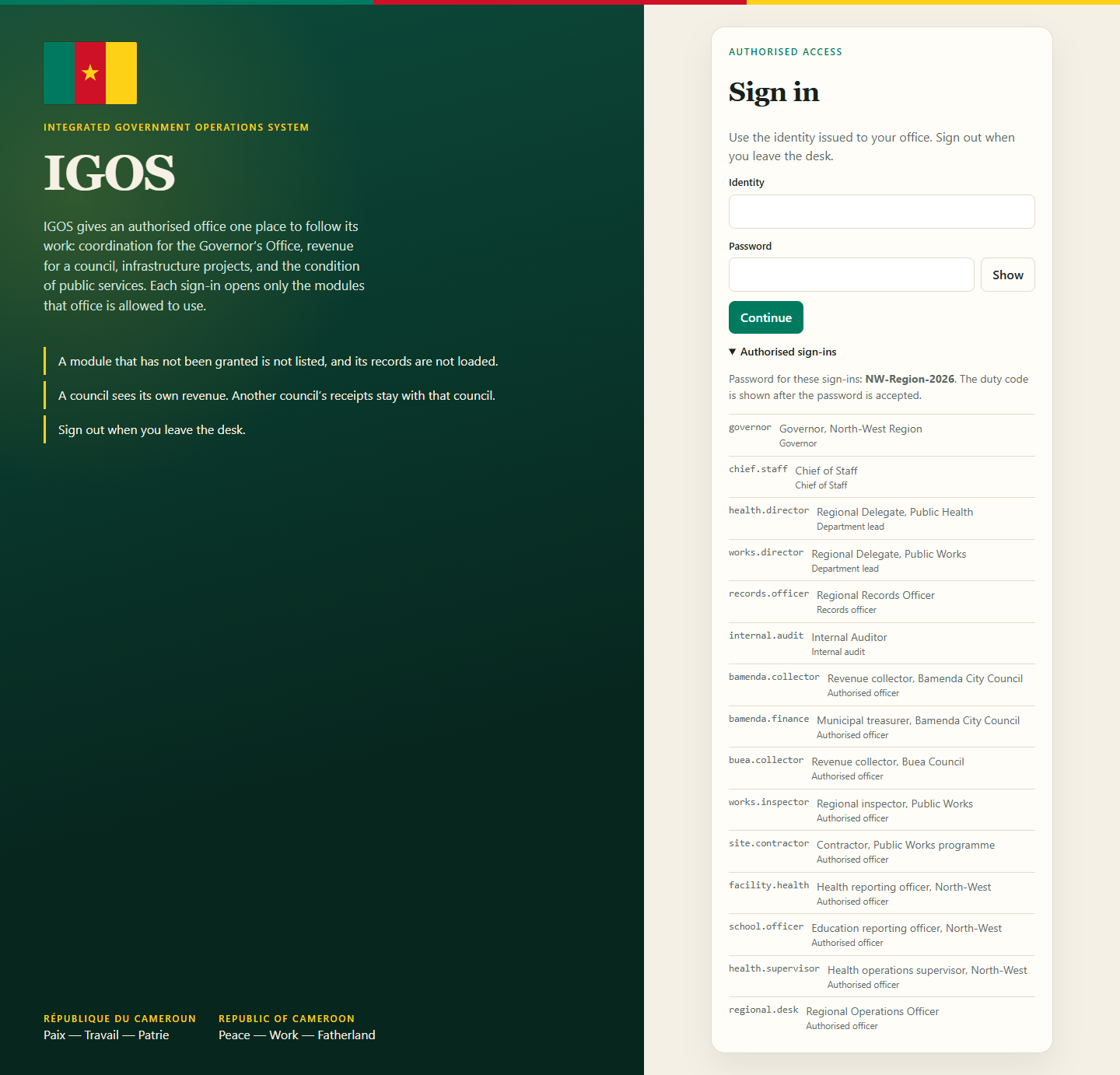
Sign-in card with the authorised identities list open, from governor through regional.desk.

Authorised sign-ins

Governor, Chief of Staff, department leads, records, and audit open Executive Coordination. Bamenda and Buea open revenue for their own council. The inspector and the contractor open infrastructure. Health and education open public services. regional.desk is granted all four modules for the Regional Operations Desk.
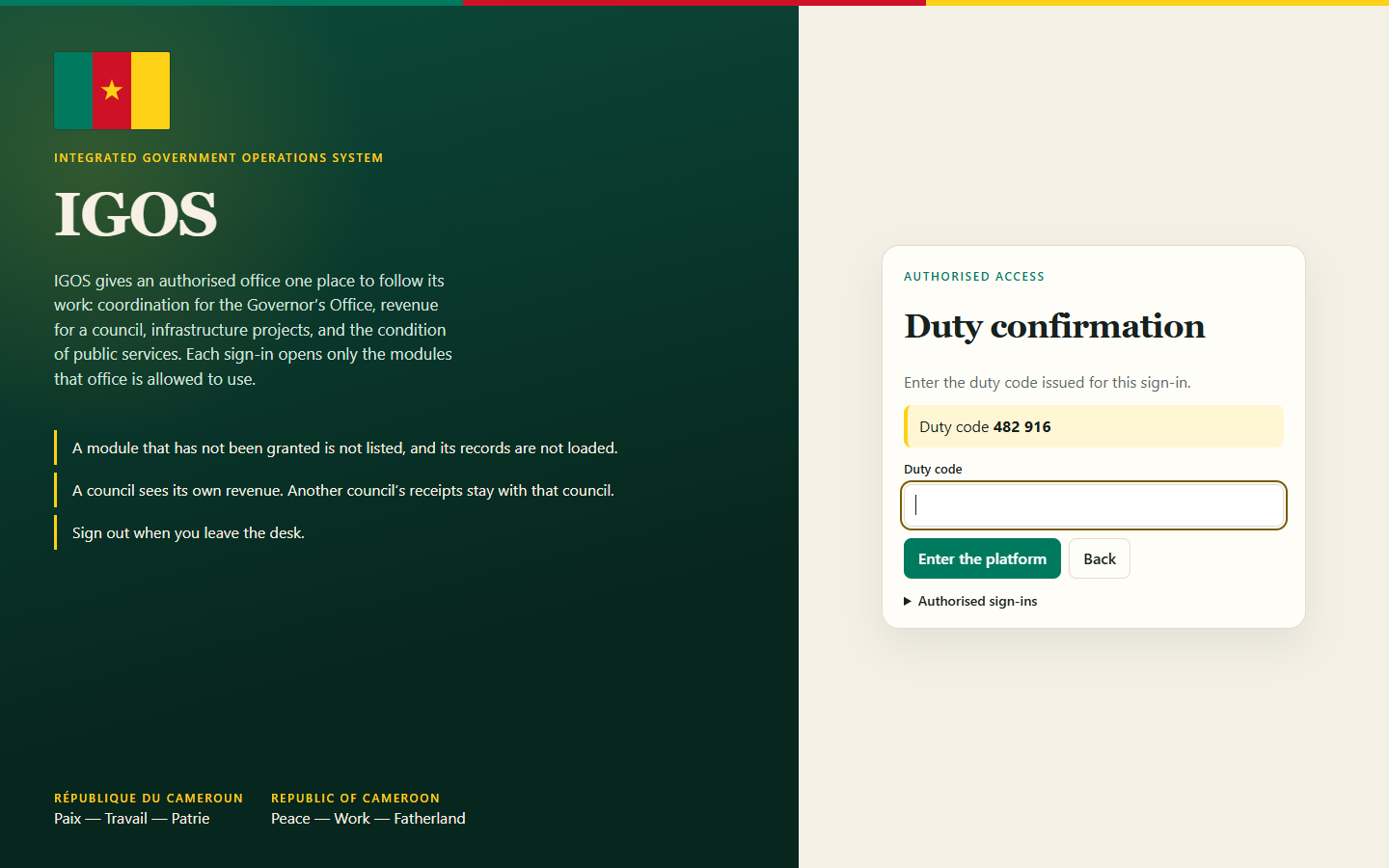
Duty confirmation step with duty code 482916.

Duty confirmation

The password alone does not open the platform. The duty code is entered on the next screen.
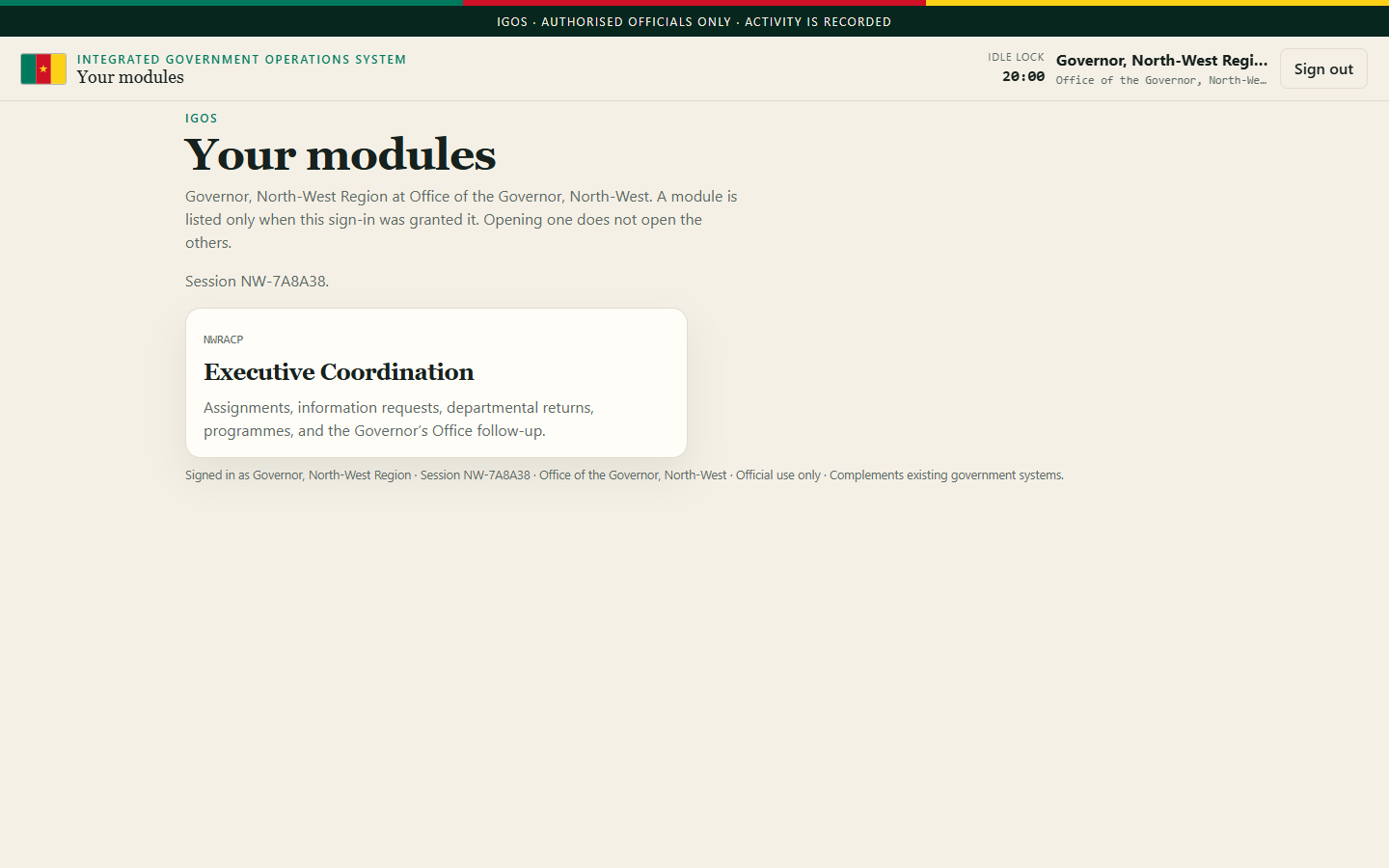
Module list for the Governor showing only Executive Coordination.

Governor — one module

After sign-in the Governor sees Executive Coordination only. Revenue, infrastructure, and public services are not listed.
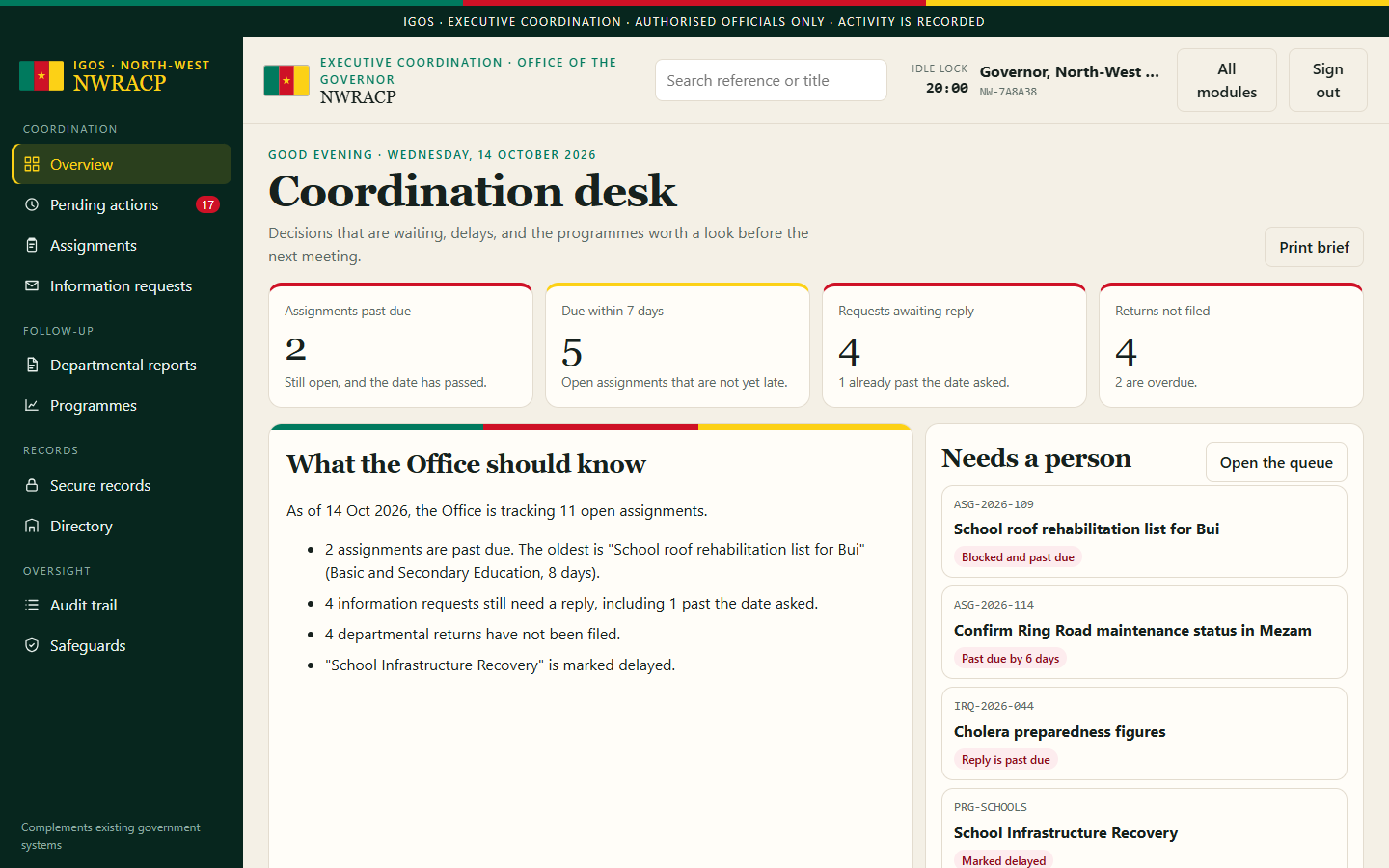
Coordination desk after the Governor opens Executive Coordination.

Governor — coordination desk

Opening that module returns to the North-West coordination desk: late assignments, requests, returns, and programmes.
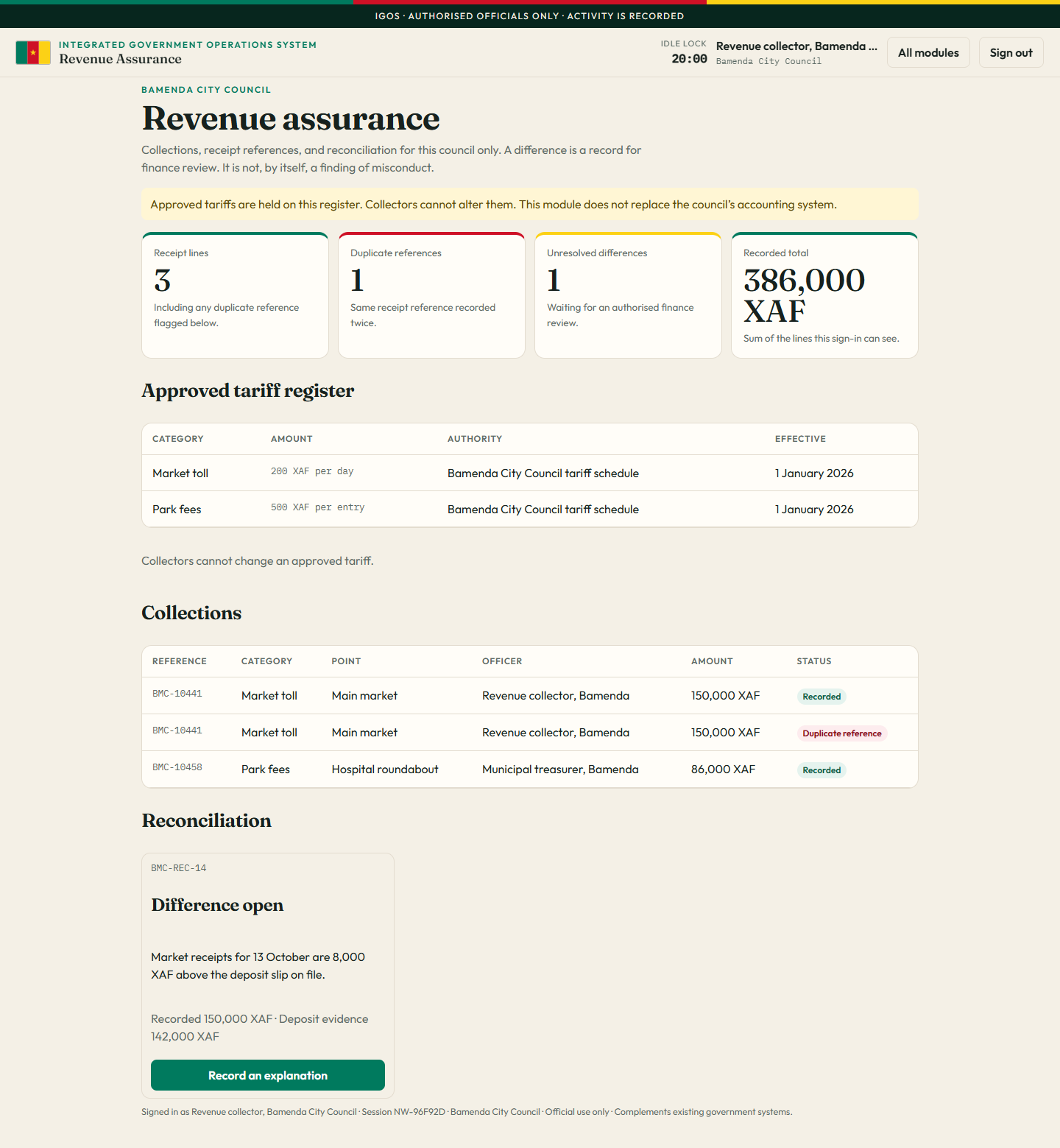
Bamenda City Council revenue assurance with market and park receipts and one open difference.

bamenda.collector

Bamenda City Council revenue only. Market and park receipts, a duplicate reference, and one open difference. A collector cannot change the tariff.
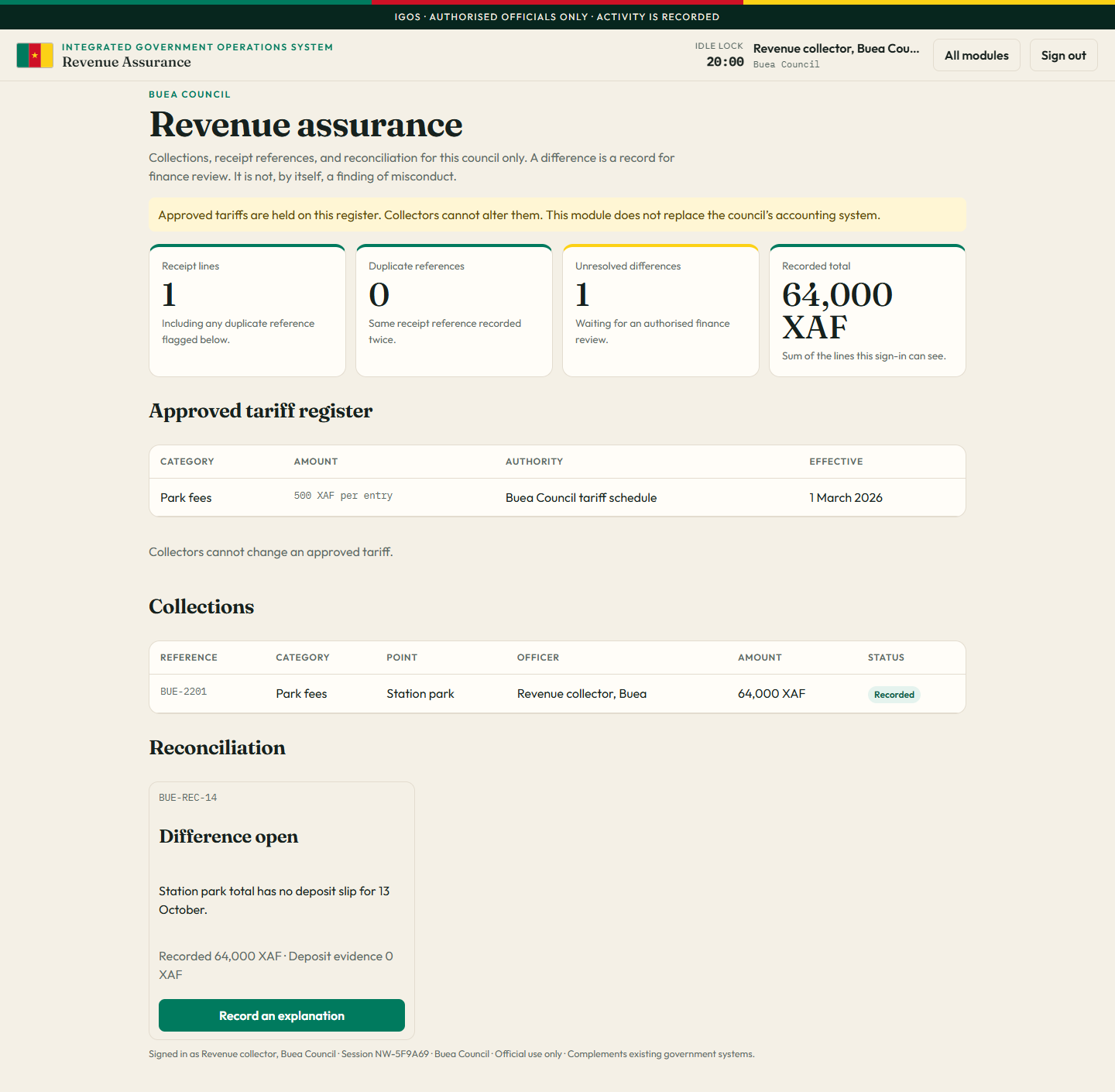
Buea Council revenue assurance with one park-fee receipt and no Bamenda lines.

buea.collector

Buea Council revenue only. The Bamenda receipts are not on this sign-in.
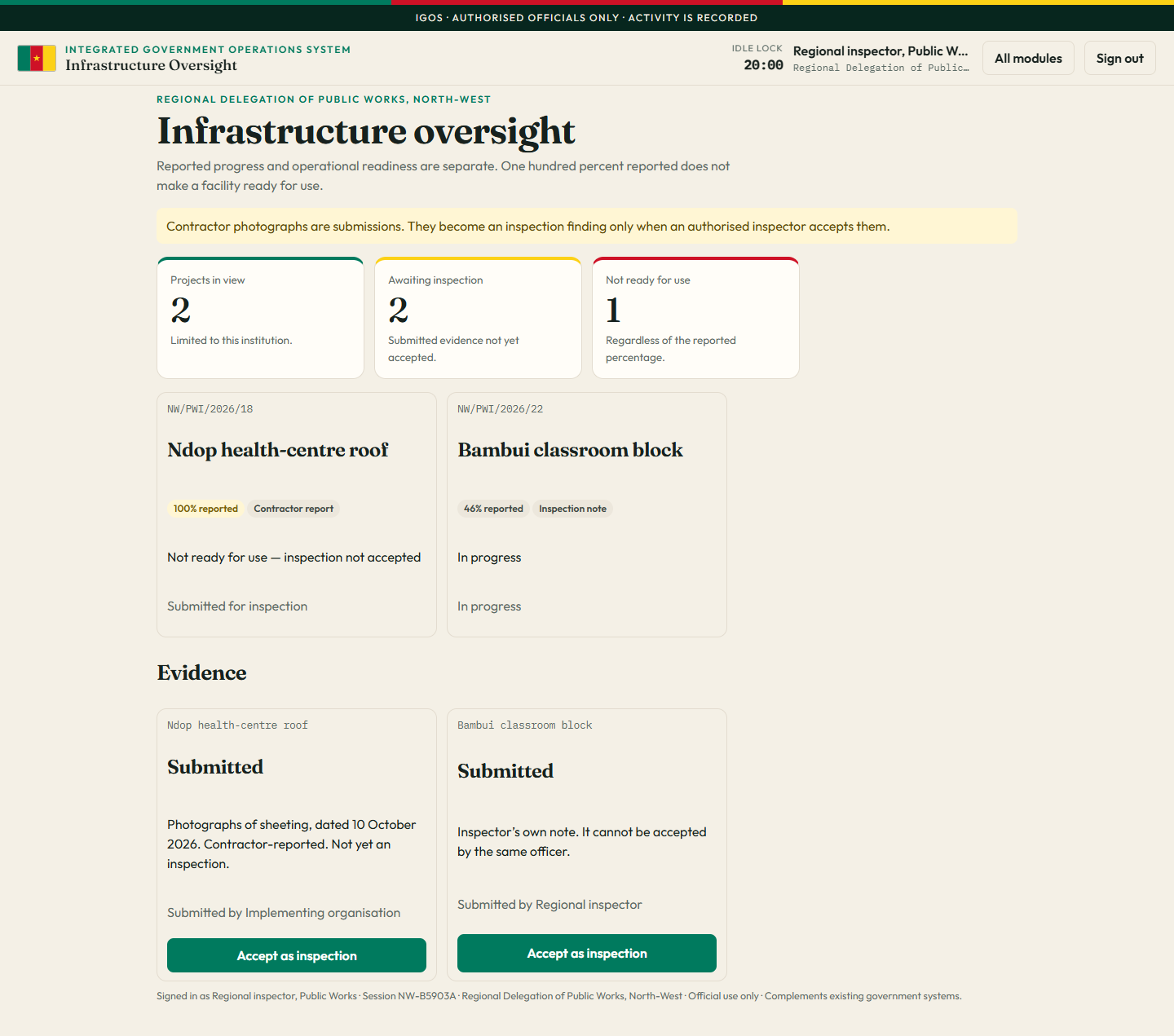
Infrastructure oversight for the regional inspector.

works.inspector

Infrastructure for the Regional Delegation of Public Works. Reported progress and readiness for use are shown separately.
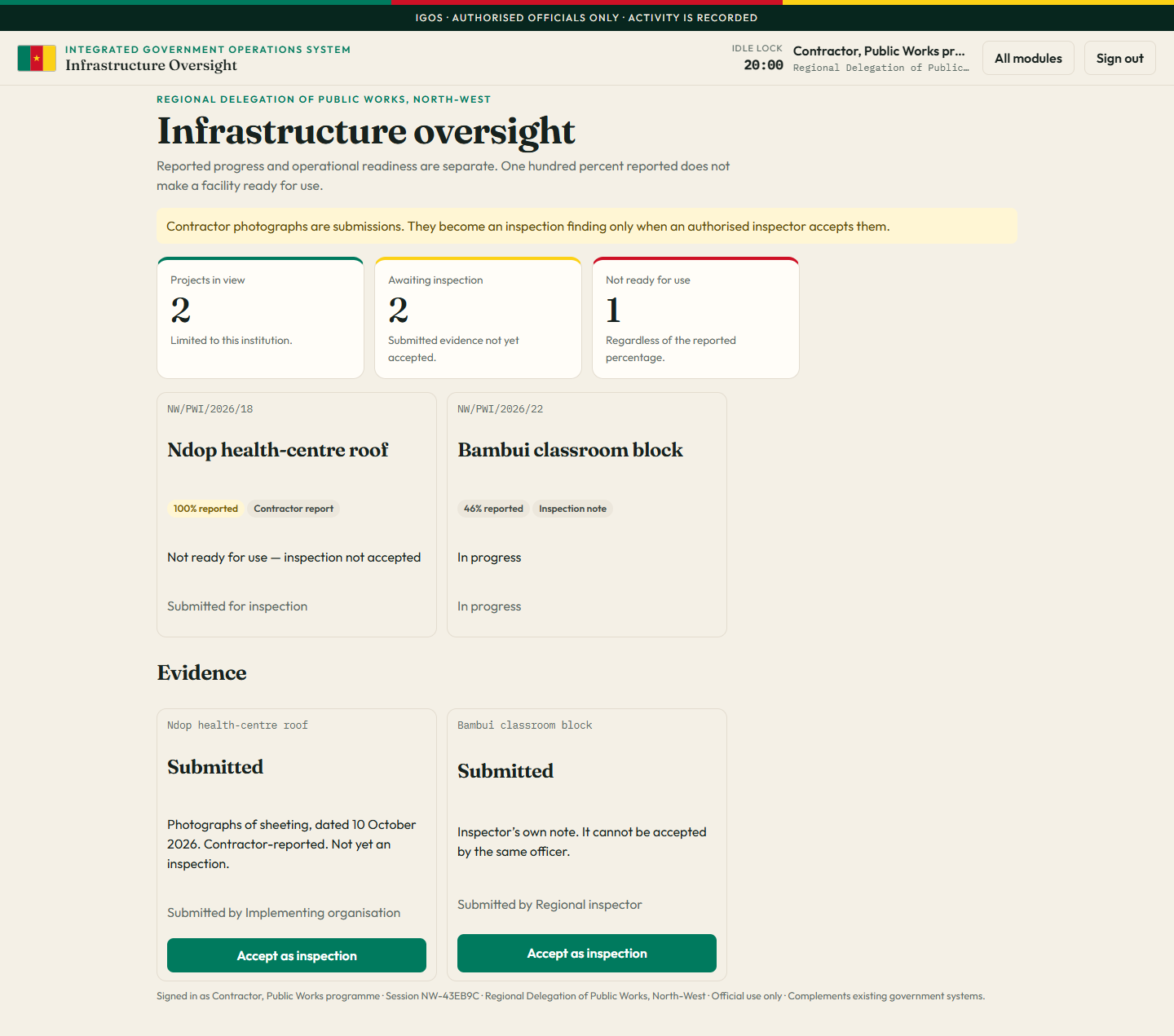
The same infrastructure projects as seen by the implementing organisation.

site.contractor

The implementing organisation sees the projects it reports on. It cannot accept its own submission as an independent inspection.
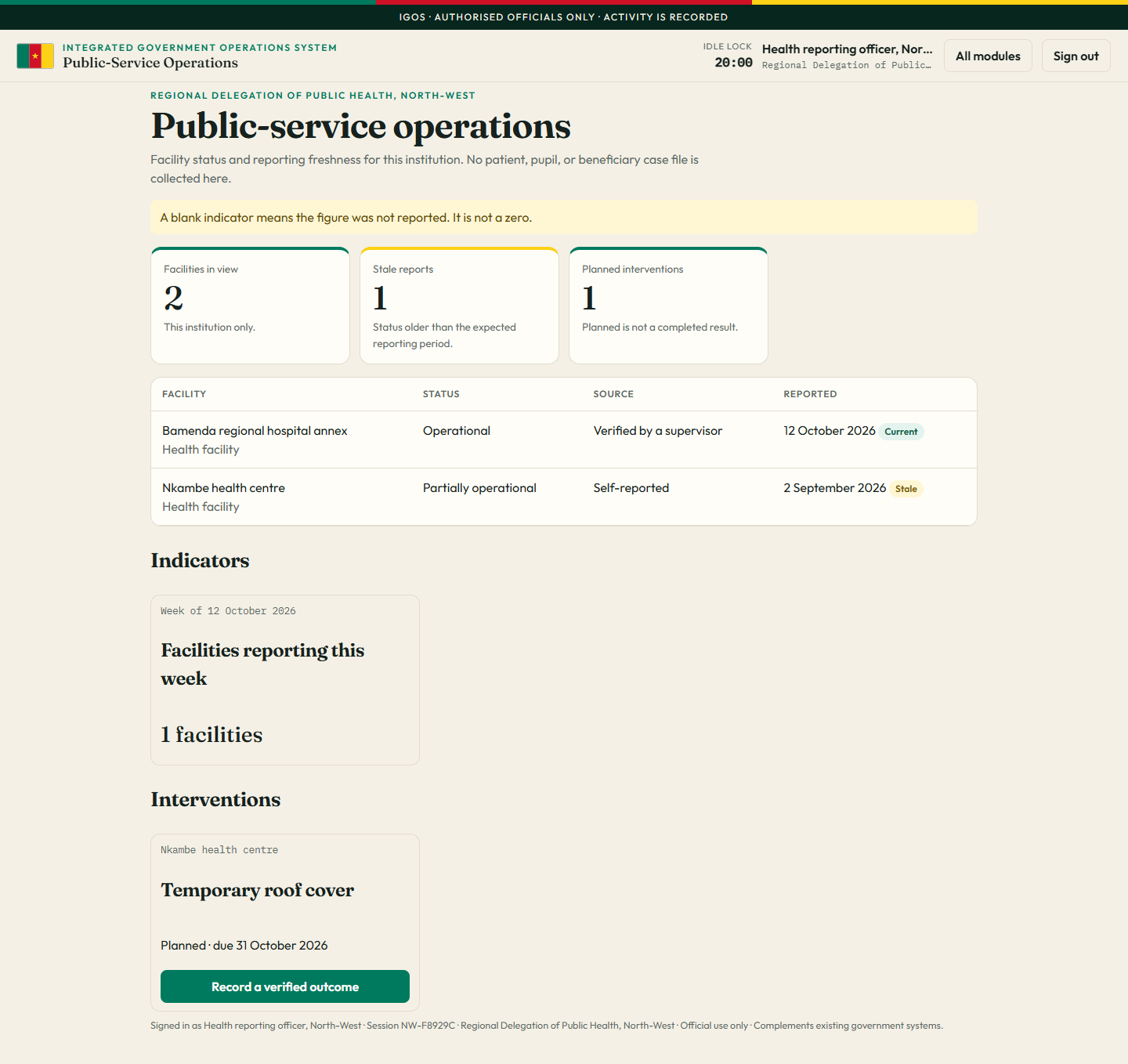
Public-service operations for the health reporting officer.

facility.health

Health facilities for the North-West health delegation. No patient records, and no education facilities.
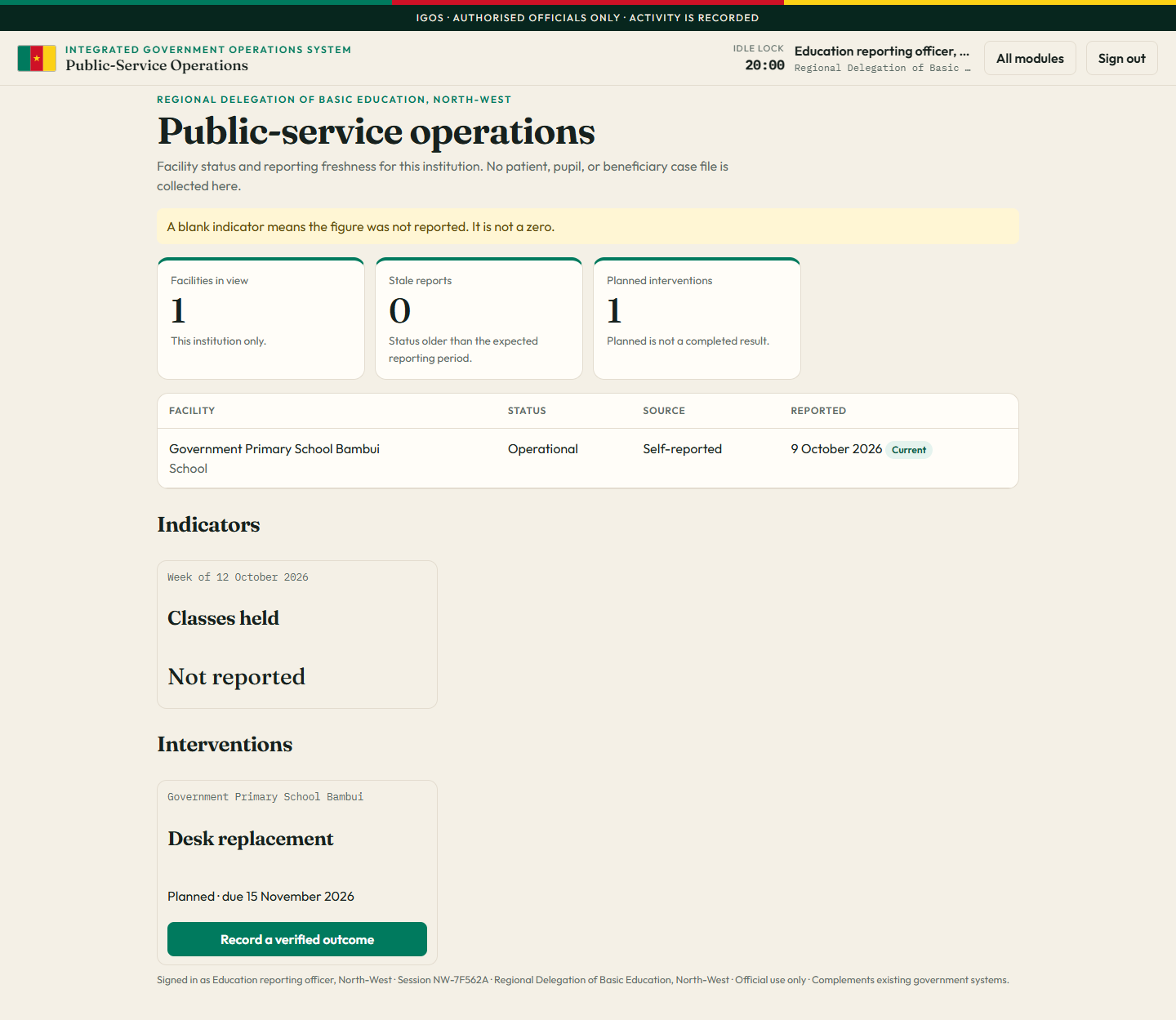
Public-service operations for the education reporting officer.

school.officer

Schools for Basic Education. Health-facility records are not included. A missing indicator is shown as not reported.
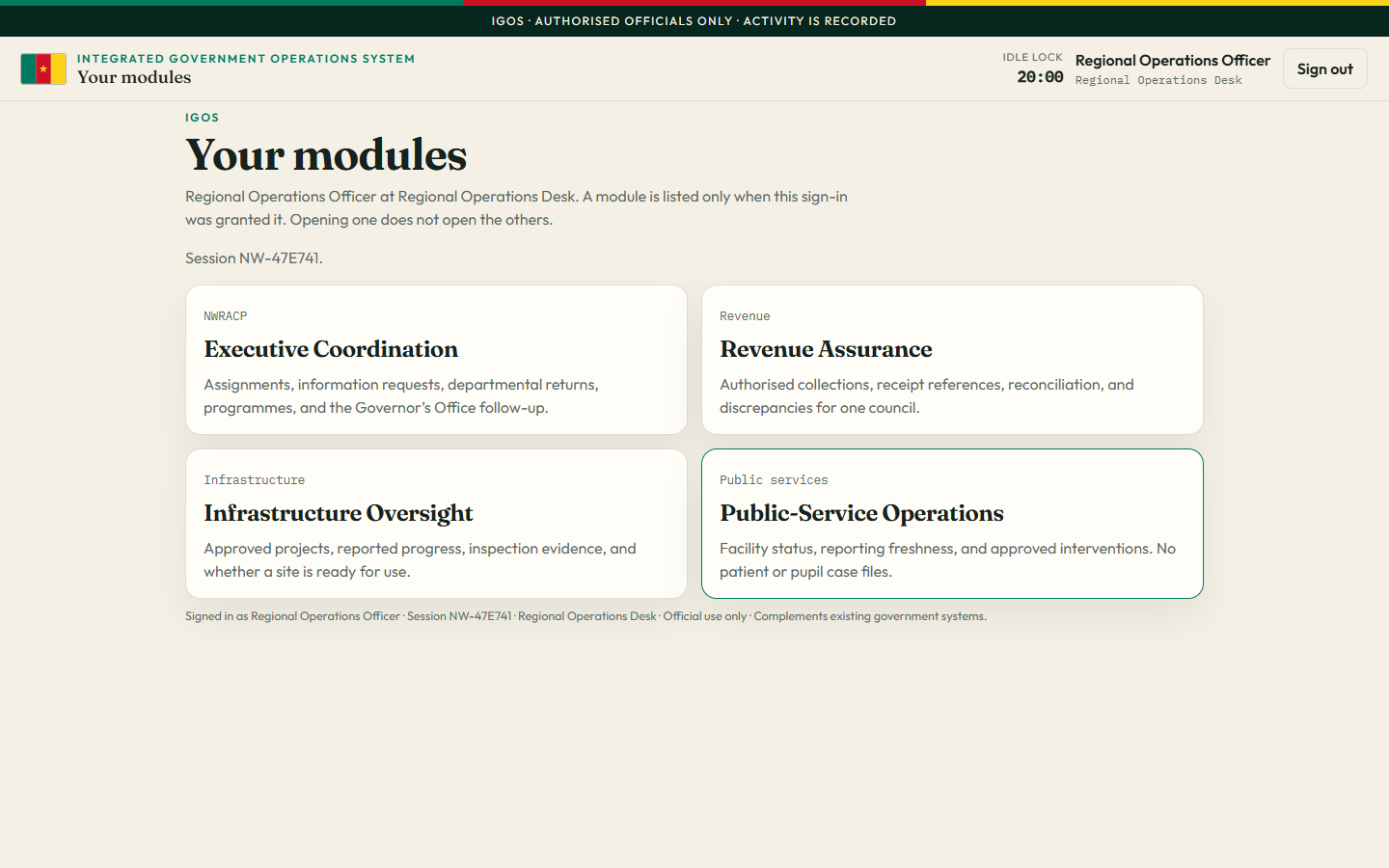
Regional Operations Desk with four module cards: Executive Coordination, Revenue Assurance, Infrastructure Oversight, and Public-Service Operations.

regional.desk

The Regional Operations Officer is granted all four modules. Council receipts and the Governor’s register stay with those institutions.
The coordination desk

These are the sections inside Executive Coordination, signed in as the Governor’s Office.

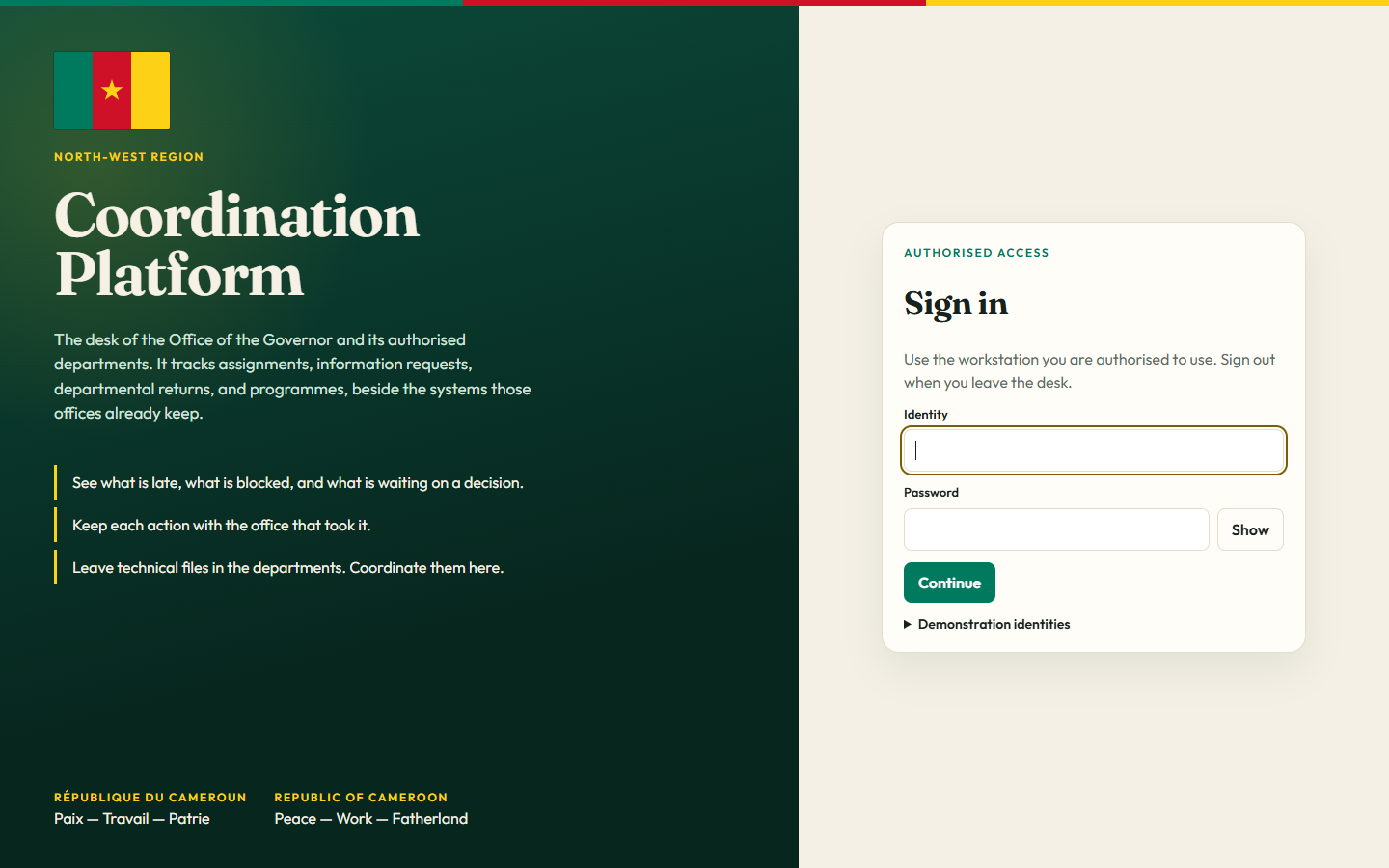
Sign-in screen. Left side is deep green with the Cameroon flag, the title Coordination Platform, and the national motto in French and English. Right side is a cream card titled Sign in, with identity and password fields.

Sign in

The front door. An official enters an identity and a password, then a duty code on the next screen. The flag and the motto, “Paix — Travail — Patrie / Peace — Work — Fatherland”, sit on the green panel.

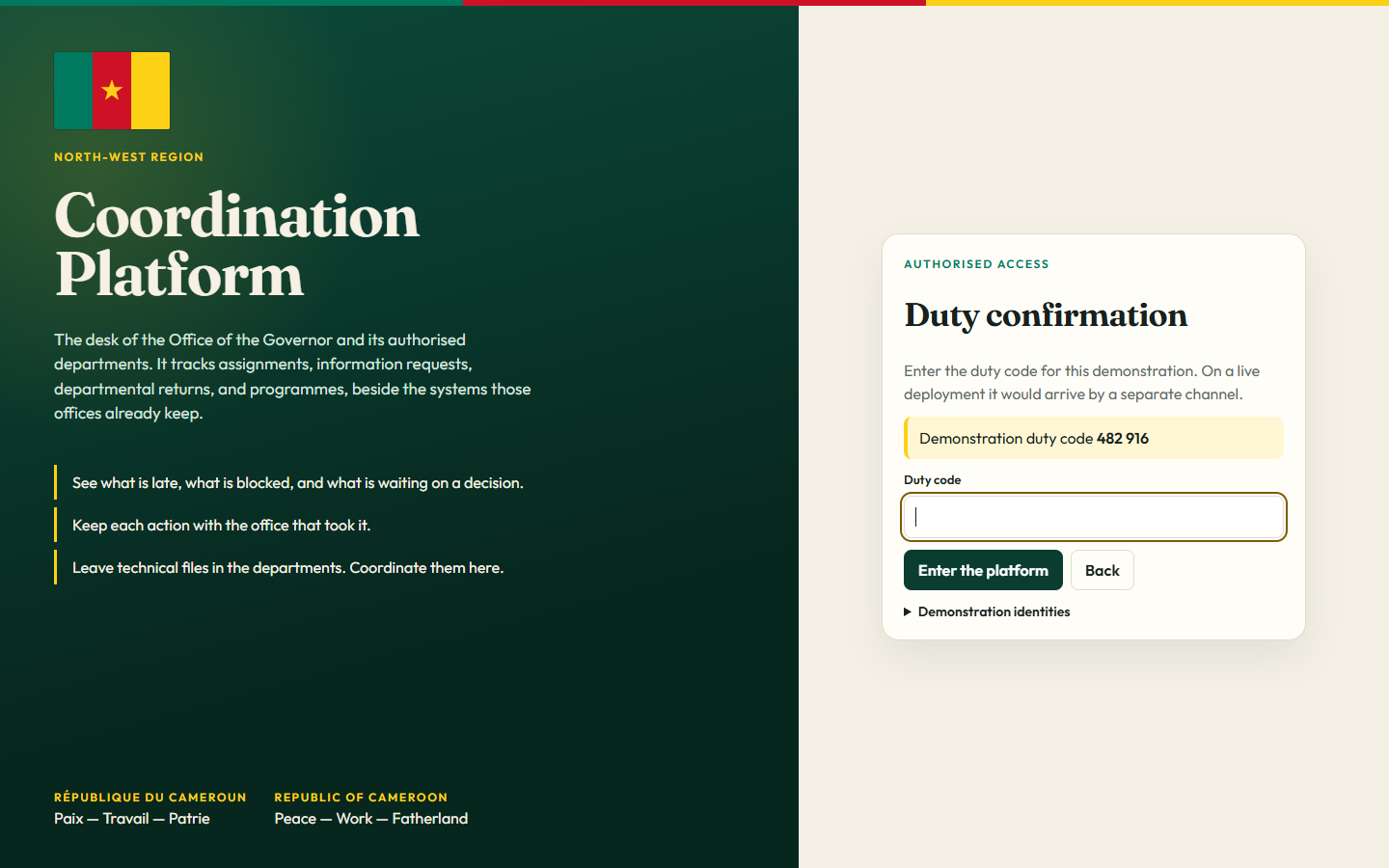
Second sign-in step titled Duty confirmation, with a yellow slip showing the duty code and a field to type it.

Duty confirmation

The second step of sign-in. The password alone does not open the desk. The duty code has to be entered as well.

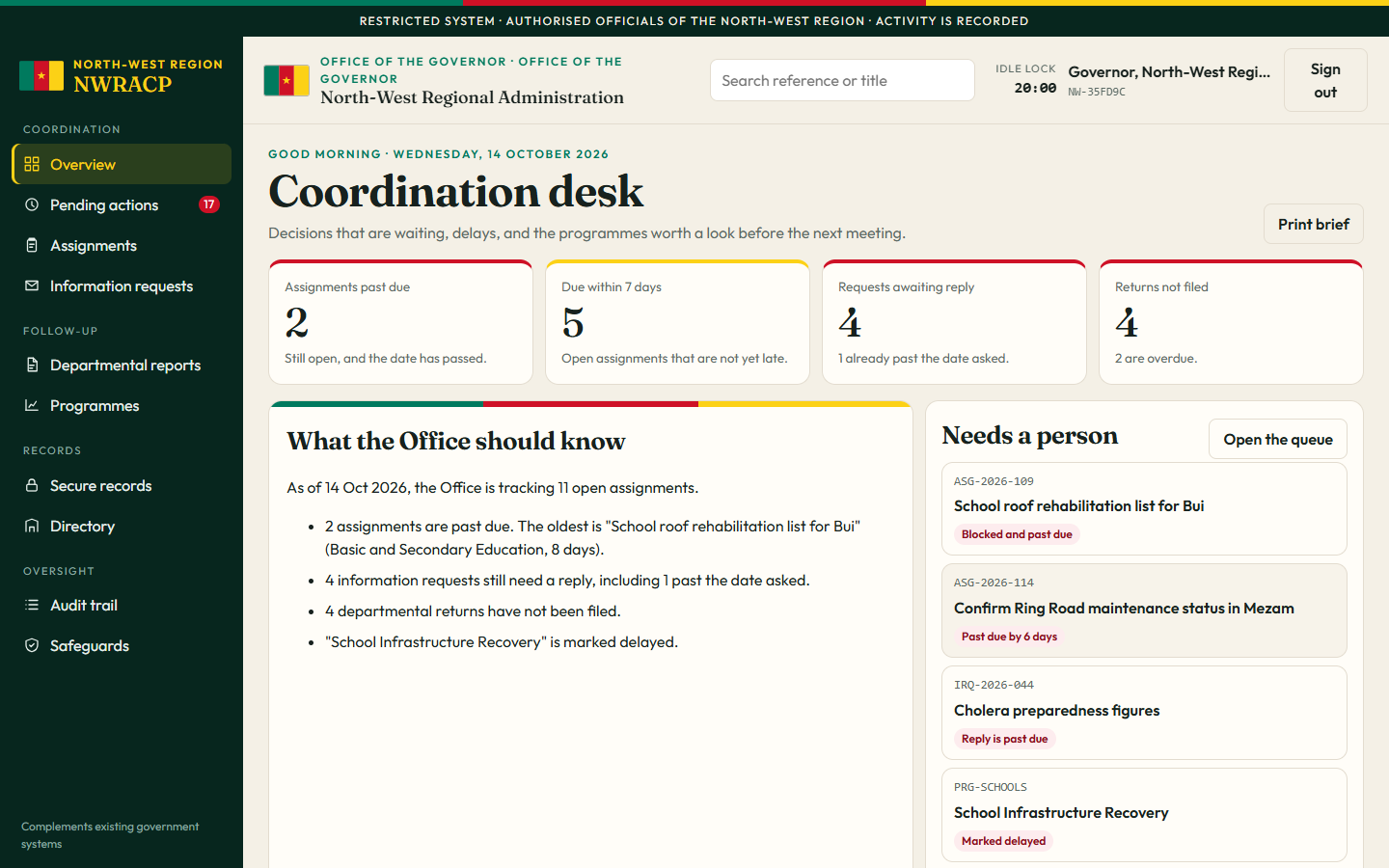
Coordination desk dashboard. Dark green sidebar, Cameroon flag in the header, four metric cards showing 2 assignments past due, 5 due within 7 days, 4 requests awaiting reply, and 4 returns not filed. A brief titled What the Office should know sits beside a Needs a person queue.

Overview, the dashboard

This is the one dashboard, called the Coordination desk. It shows how many assignments are late, what is due this week, which requests still need a reply, and which departmental returns have not been filed. Beside the numbers is a short brief and the items that need a person now, such as the Bui school roofs and the Mezam Ring Road.

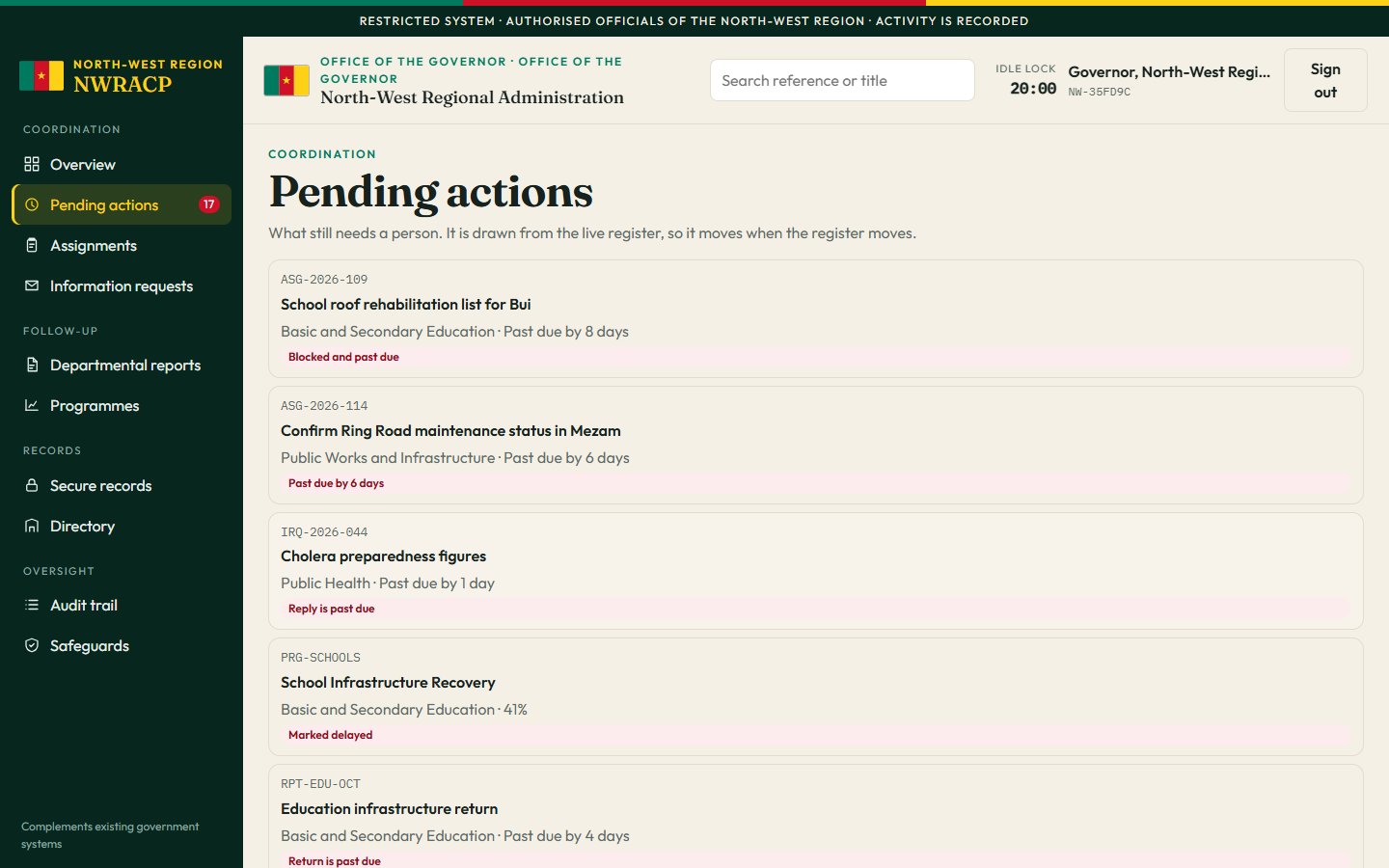
Pending actions page listing overdue and due-soon items with red and yellow labels, including blocked school roofs, a past-due road report, and a cholera information request.

Pending actions

The personal queue. For the Governor it is the regional list. For a department lead it shrinks to that department only. Red means past due or blocked. Yellow means due soon or waiting for a decision.

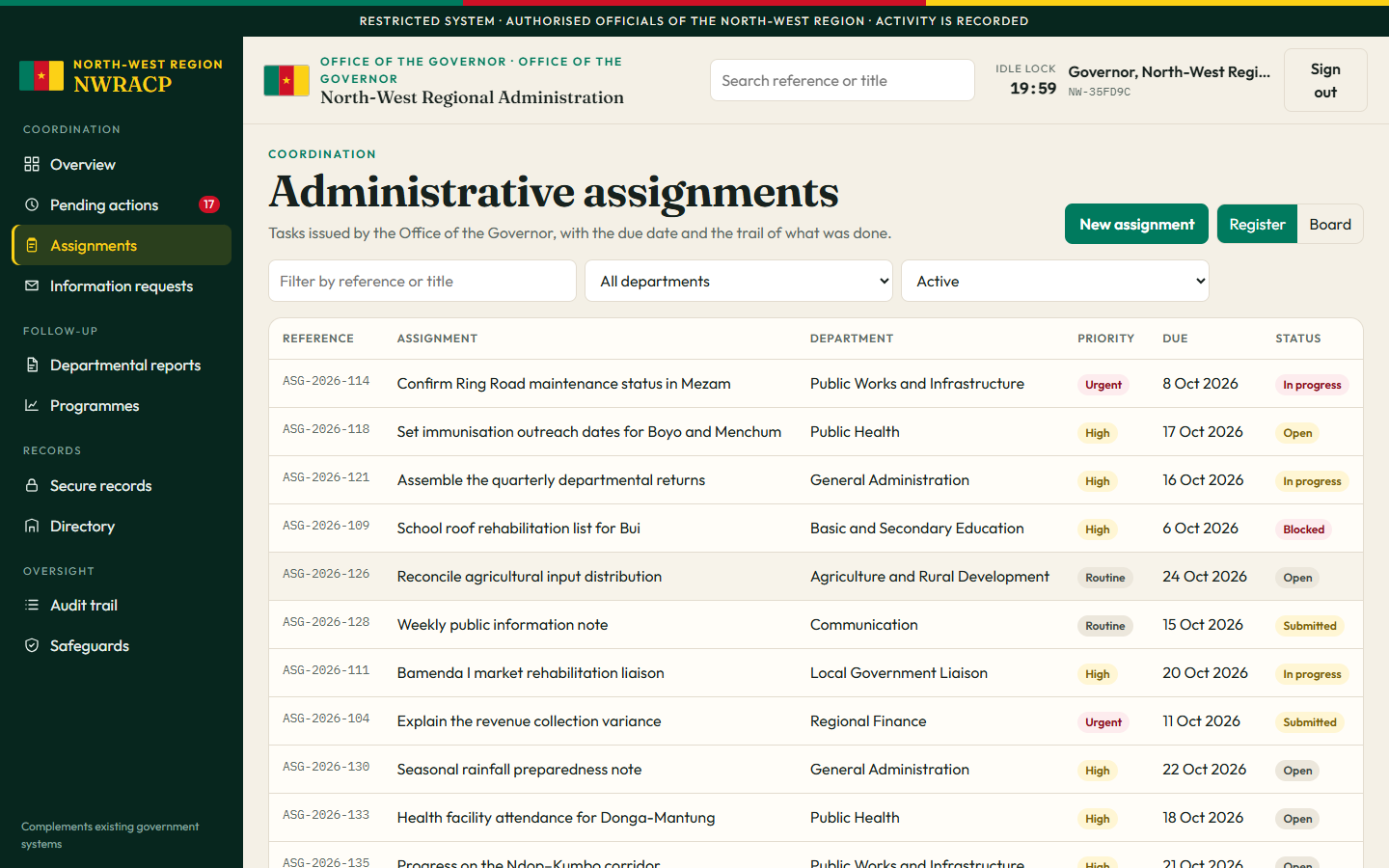
Administrative assignments register as a table with reference, title, department, priority, due date, and status. Examples include Ring Road maintenance in Mezam, immunisation dates, and the Bui school roof list.

Administrative assignments

Tasks the Office gives a department. Public Works confirms the Mezam road sections. Public Health sets immunisation dates. Education’s roof list for Bui is blocked. A department updates its own task. Only the Governor’s office can close it.

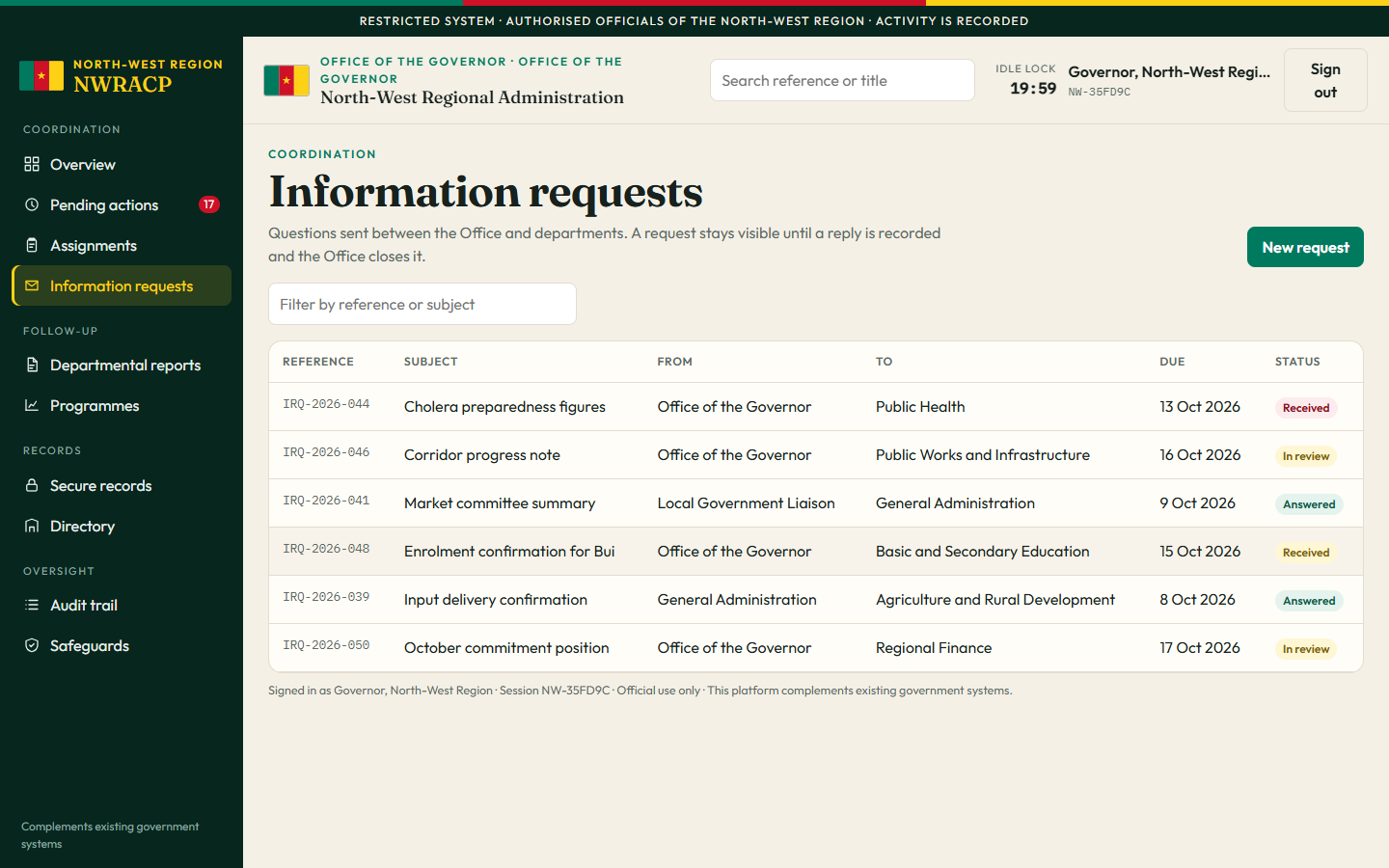
Information requests table showing subjects such as cholera preparedness figures, a corridor progress note, and an enrolment confirmation, with from, to, due date, and status.

Information requests

Questions sent from one office to another. The Governor’s office asks Public Health for cholera preparedness figures. The request stays visible until a reply is recorded and the Office closes it.

Departmental reports table of expected, submitted, and noted returns from Public Health, Public Works, Education, Agriculture, Finance, Communication, and Local Government Liaison.

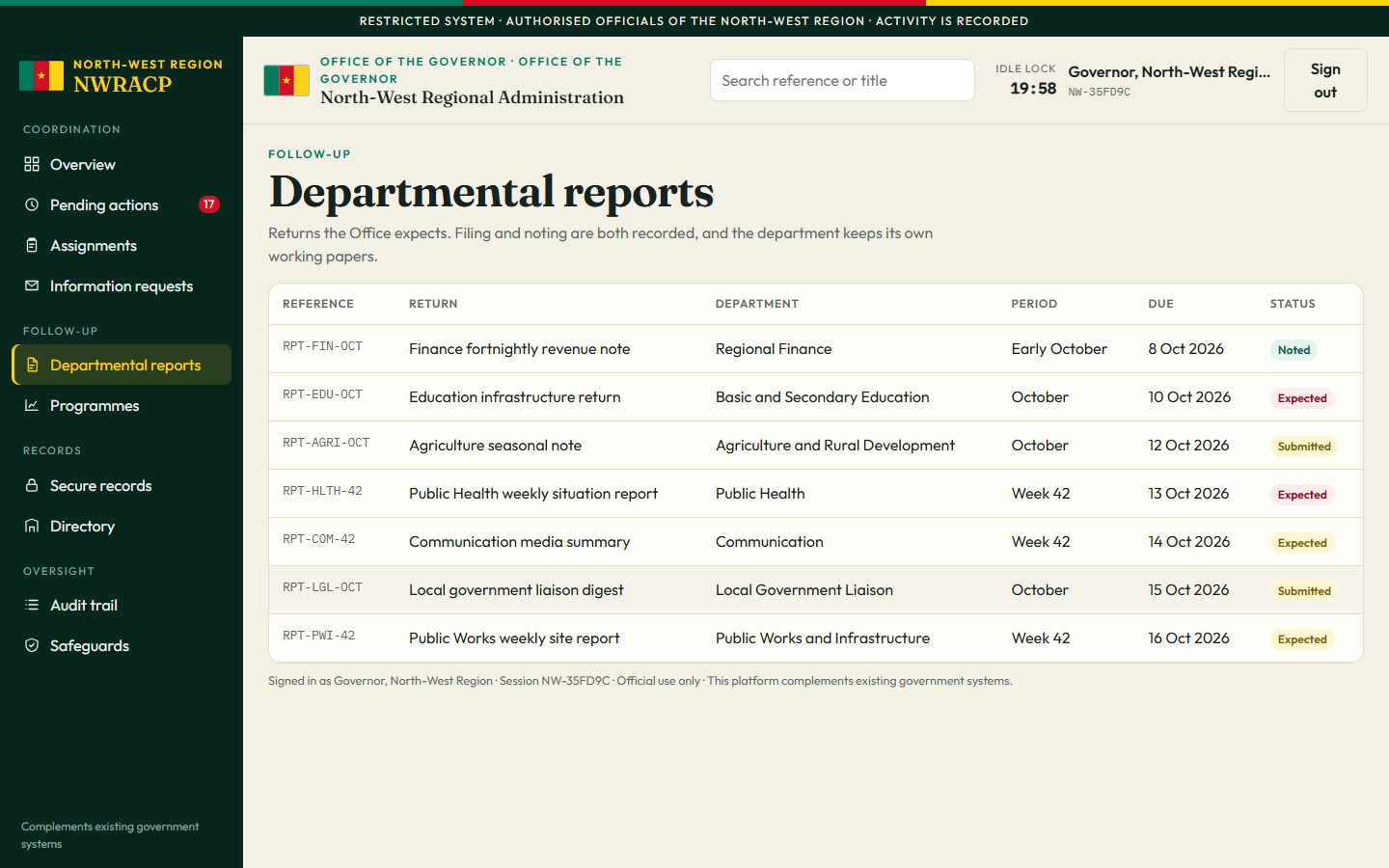
Departmental reports

The regular returns the Office expects: a weekly health situation report, a works site report, an education infrastructure return. The department files a short summary. The full file stays in the department.

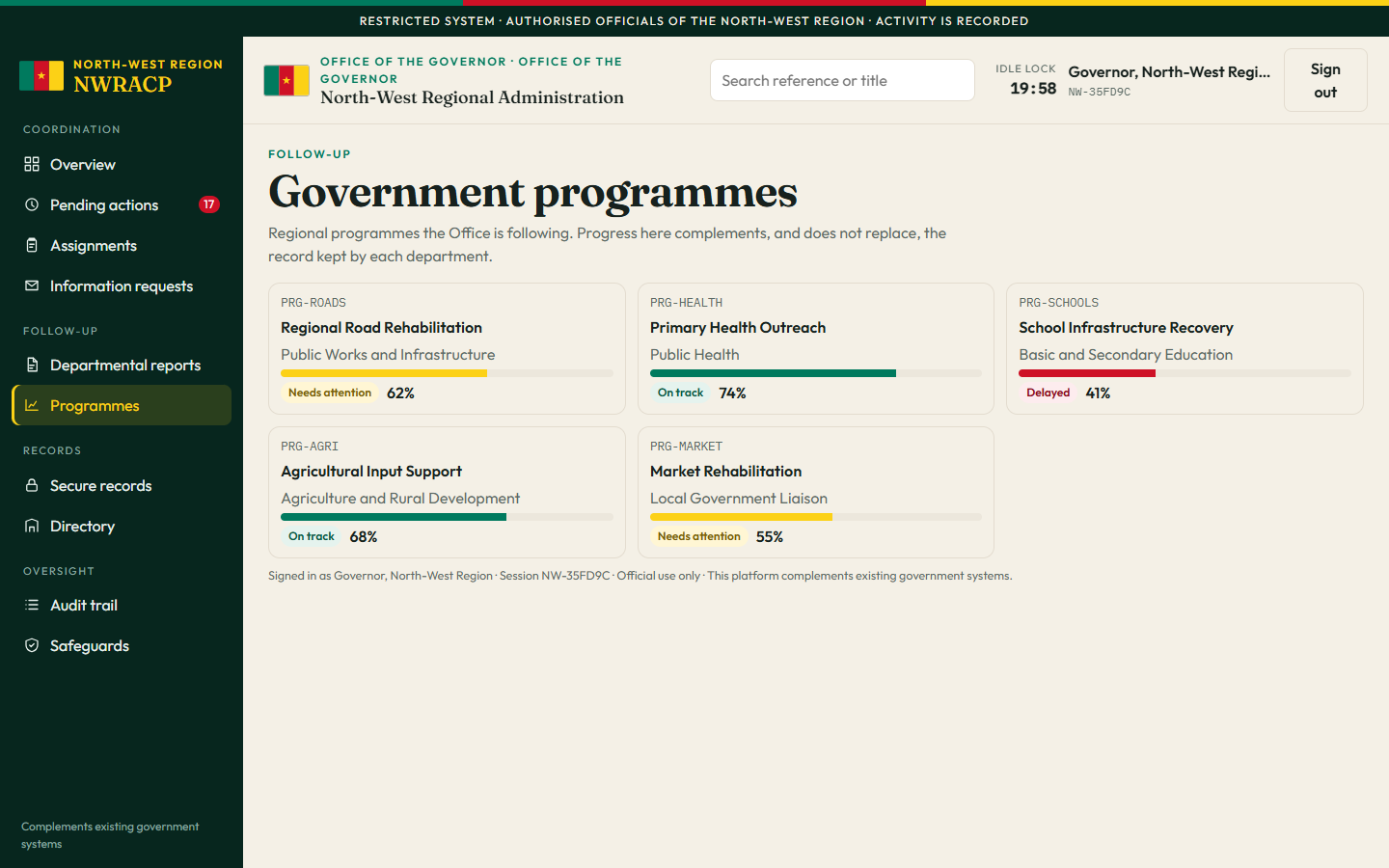
Programme cards for Regional Road Rehabilitation, Primary Health Outreach, School Infrastructure Recovery, Agricultural Input Support, and Market Rehabilitation, each with a progress bar and status.

Government programmes

Longer efforts the Office is following. Roads need attention. School infrastructure is delayed. Health outreach and agricultural inputs are on track. These bars are a coordination view. They do not replace the department’s own project file.

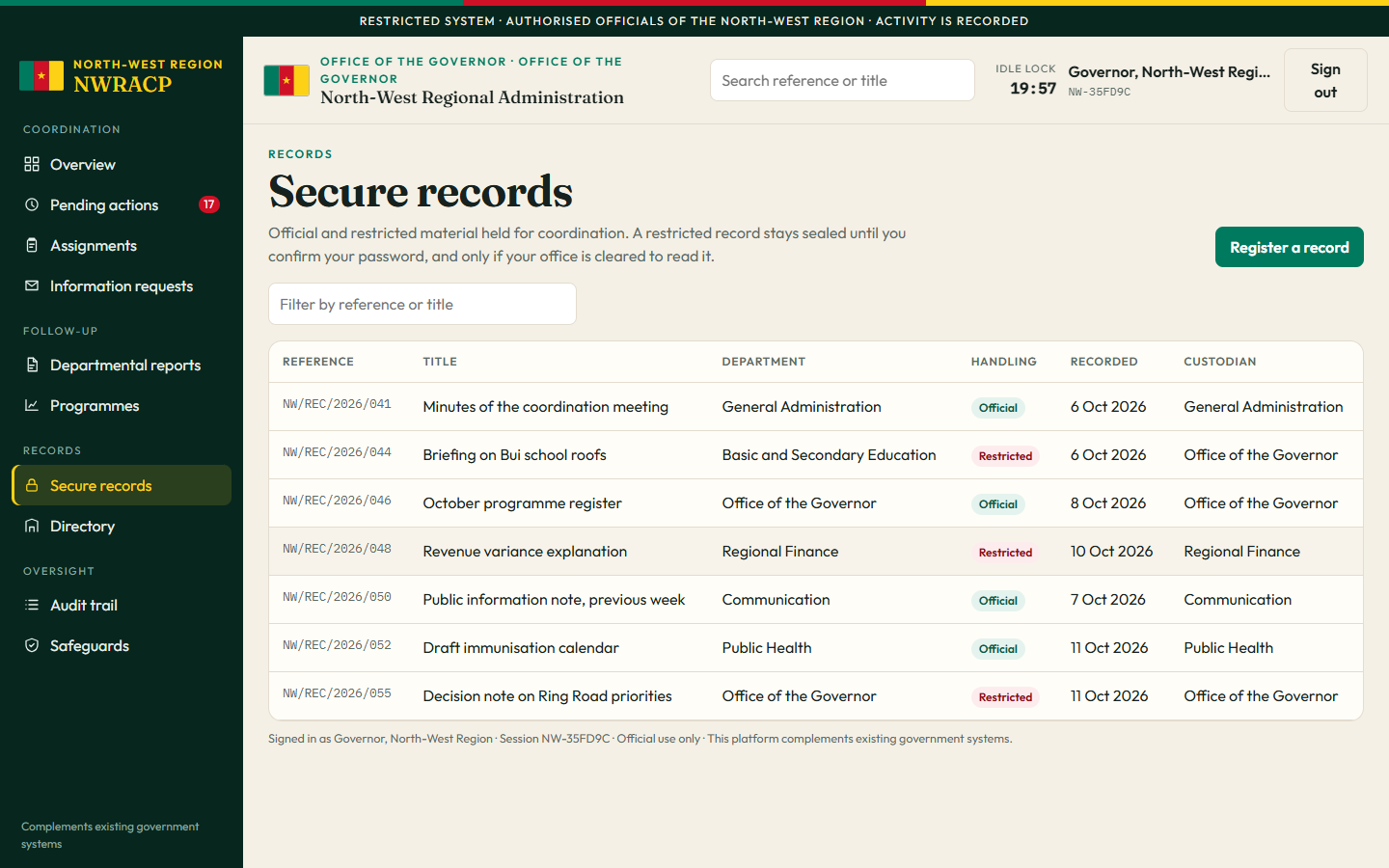
Secure records register with official and restricted handling marks, including coordination minutes, a Bui school roof briefing, and a revenue variance explanation.

Secure records

Notes worth keeping. Official records can be read across the offices. Restricted records, such as the revenue explanation, stay hidden from offices that are not cleared, and open only after a password confirmation.

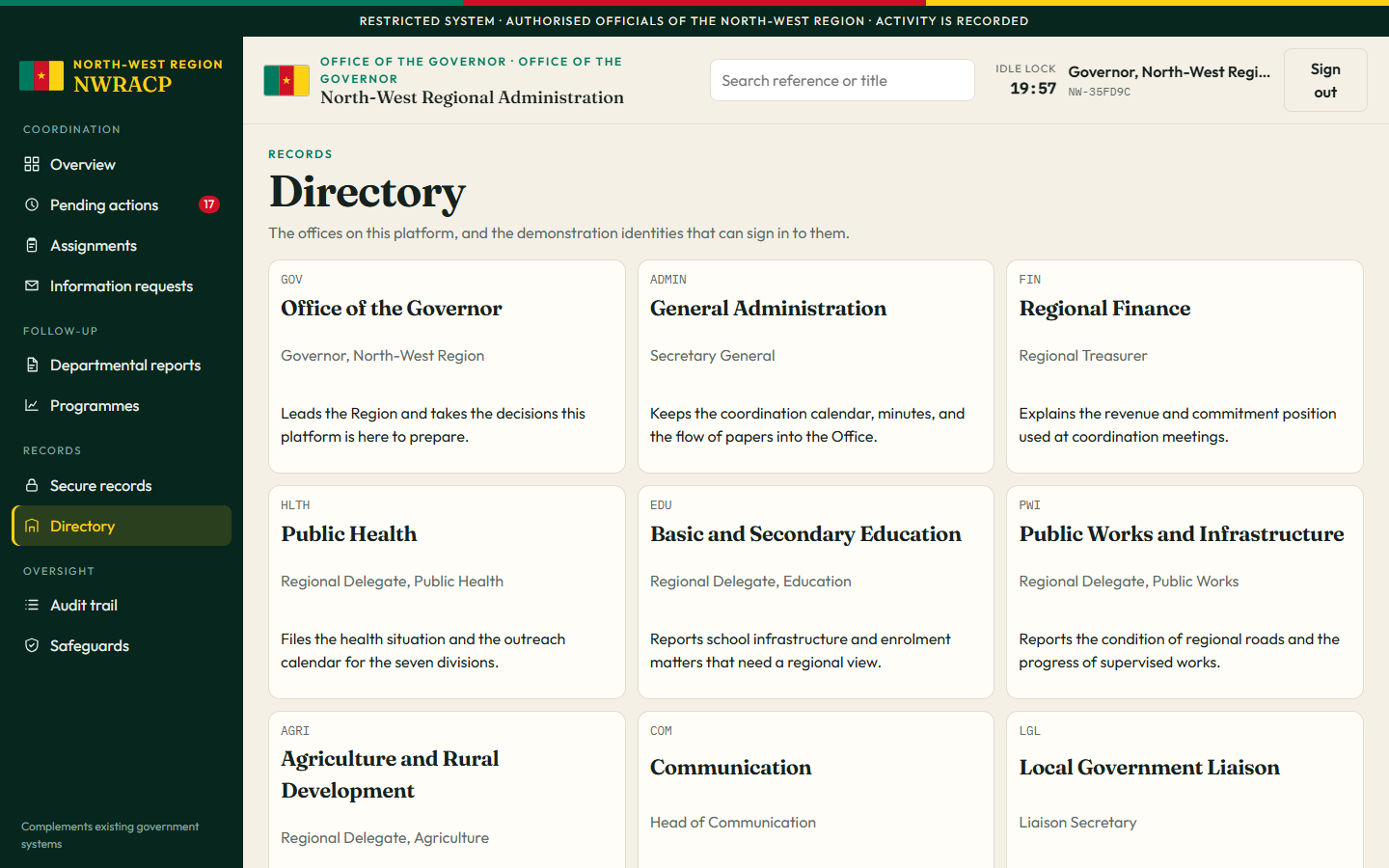
Directory of regional offices including the Office of the Governor, General Administration, Finance, Public Health, Education, Public Works, Agriculture, Communication, and Local Government Liaison.

Directory

The nine offices on the platform and what each one is for, followed by the authorised sign-ins.

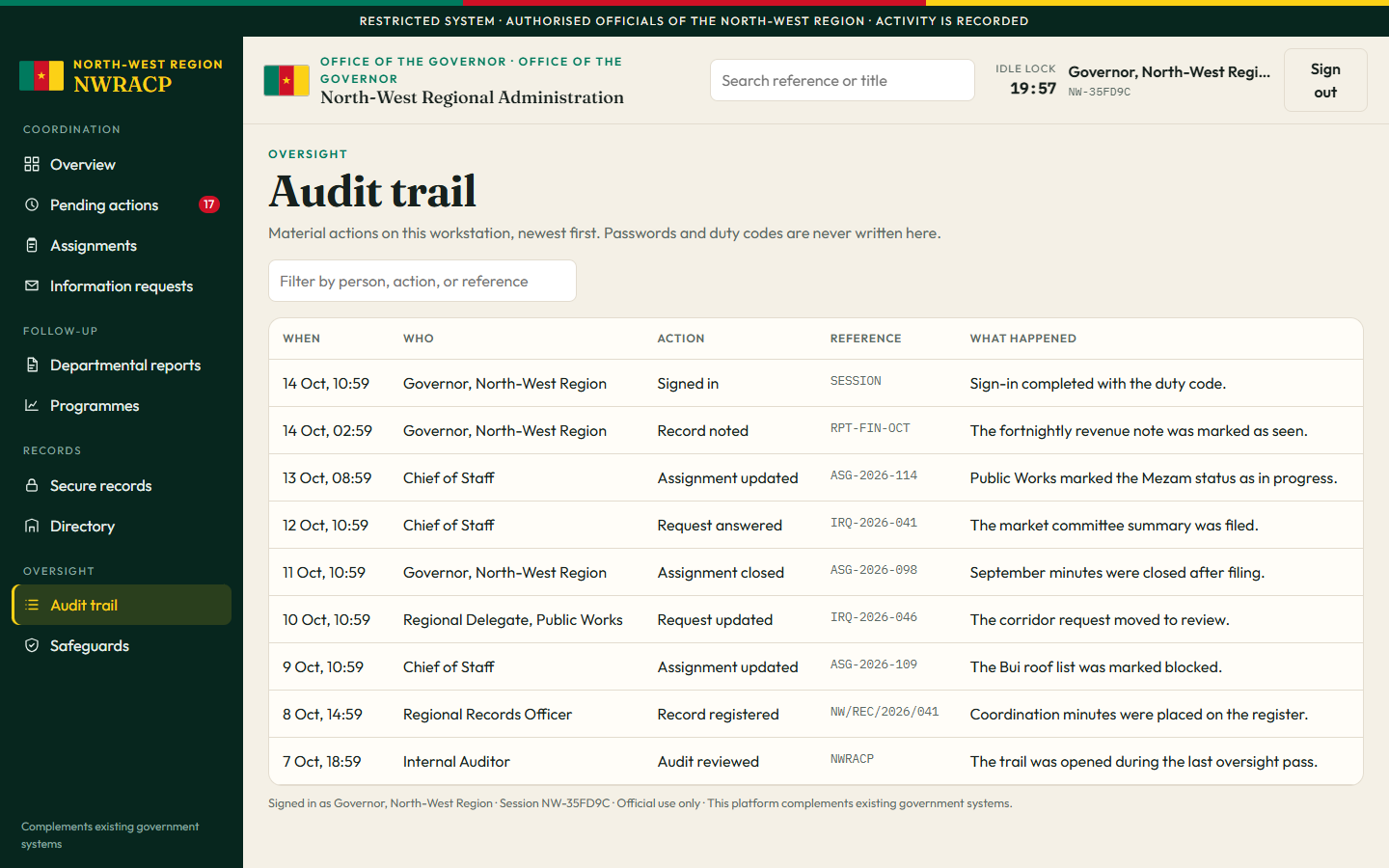
Audit trail table listing when an action happened, who did it, the action, the reference, and a one-line summary. Visible to the Governor, Chief of Staff, and Internal Audit.

Audit trail

Who did what, newest first. Open to the Governor, the Chief of Staff, and Internal Audit. Passwords are not written here. A department lead does not see this section.

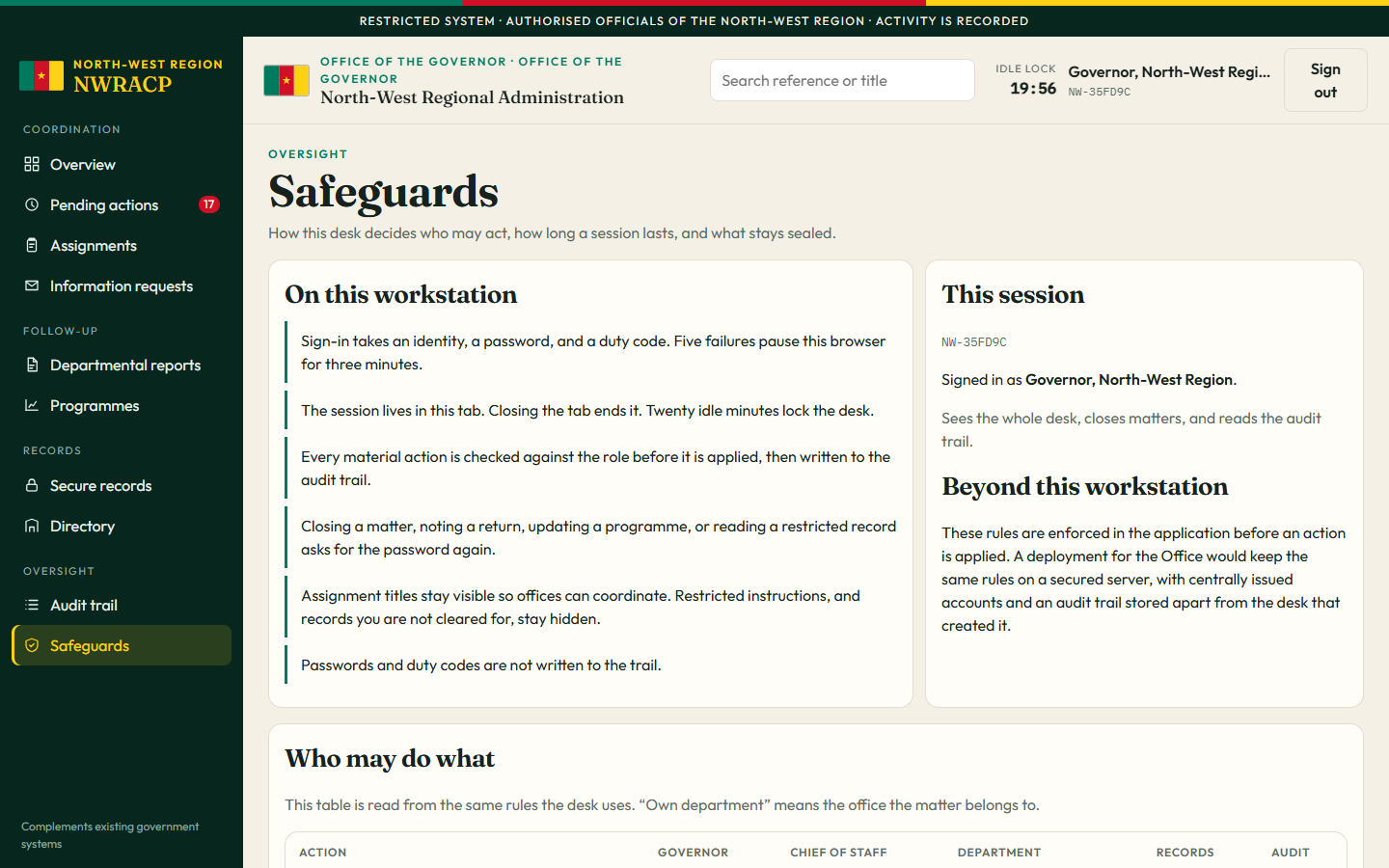
Safeguards page explaining sign-in, idle lock, role checks, and a table of who may create assignments, answer requests, read restricted material, and read the audit trail.

Safeguards

The rules of the desk: two-step sign-in, a pause after repeated failures, a lock after twenty idle minutes, and a table of which role may do what.